> For the complete documentation index, see [llms.txt](https://docs.spacestake.tech/llms.txt). Markdown versions of documentation pages are available by appending `.md` to page URLs; this page is available as [Markdown](https://docs.spacestake.tech/guides/how-to-stake-dydx-with-keplr-mobile.md).

# How to Stake DYDX with Keplr Mobile

Keplr Mobile Wallet: Staking DYDX — A Simplified Guide

### **Step 0: Setting Up Your Keplr Wallet Account**

* Visit [Keplr's website](https://www.keplr.app/) to start.
* Download the mobile app for iOS or Android, then open it.
* In the Keplr App, select “Create new account.”
* Choose a mnemonic seed (12 or 24 words), note it down safely, then create a wallet name and password.
* Re-enter the Mnemonic Seed to finish setting up your account in Keplr Wallet.

### **Step 1: Enable the Network on your wallet**

* Tap the menu icon (☰) in the top corner.

<figure><img src="https://4024537277-files.gitbook.io/~/files/v0/b/gitbook-x-prod.appspot.com/o/spaces%2FSrOSFAwmziM0a8MDJcGD%2Fuploads%2FoN3oTaTVU7ICvwdPEaDI%2Fimage.png?alt=media&amp;token=c9547748-3f57-49b3-95c9-ef52a29bbd62" alt=""><figcaption></figcaption></figure>

* Click on '**Manage Chain Visibility**'

<figure><img src="https://4024537277-files.gitbook.io/~/files/v0/b/gitbook-x-prod.appspot.com/o/spaces%2FSrOSFAwmziM0a8MDJcGD%2Fuploads%2F3zCAvHmKfNzW0tLyhzKN%2Fimage.png?alt=media&amp;token=4c5003a7-6afb-4395-815f-d152ff4c4398" alt=""><figcaption></figcaption></figure>

* Search for “**dydx**”, then select the chain, and click the “**Save**” button

<figure><img src="https://4024537277-files.gitbook.io/~/files/v0/b/gitbook-x-prod.appspot.com/o/spaces%2FSrOSFAwmziM0a8MDJcGD%2Fuploads%2FnIgg3ZRK4wV6ydfPj0cq%2Fimage.png?alt=media&amp;token=5a8ce3e6-61c7-44ba-953a-426c993445d4" alt=""><figcaption></figcaption></figure>

### **Step 2: Depositing DYDX in Your Wallet**

* Access your Keplr account using the password you created.
* Click on “Deposit” button, and search for “**DYDX**”

<figure><img src="https://4024537277-files.gitbook.io/~/files/v0/b/gitbook-x-prod.appspot.com/o/spaces%2FSrOSFAwmziM0a8MDJcGD%2Fuploads%2Fa1cXHVP93FCxj3YfBXbH%2Fimage.png?alt=media&amp;token=06793192-fc6d-432f-8f3e-86bbc0146cde" alt=""><figcaption></figcaption></figure>

* Copy the DYDX address from Keplr and paste it into the platform where your DYDX tokens are located to transfer them.

<figure><img src="https://4024537277-files.gitbook.io/~/files/v0/b/gitbook-x-prod.appspot.com/o/spaces%2FSrOSFAwmziM0a8MDJcGD%2Fuploads%2FNKrPOW2xGNsOm9cQ9Q4k%2Fimage.png?alt=media&amp;token=b37aabd6-486d-44e4-a882-8a08eb26683d" alt=""><figcaption><p>Click on this icon to copy the address</p></figcaption></figure>

* Note that you can start by earning some DYDX on [**Final Autoclaim**](https://autofaucet.dutchycorp.space/), that's a free way to get your first staking bag without buying anything.

### **Step 3: Staking Your DYDX Tokens**

* Once you have some token to stake, open the Keplr App.
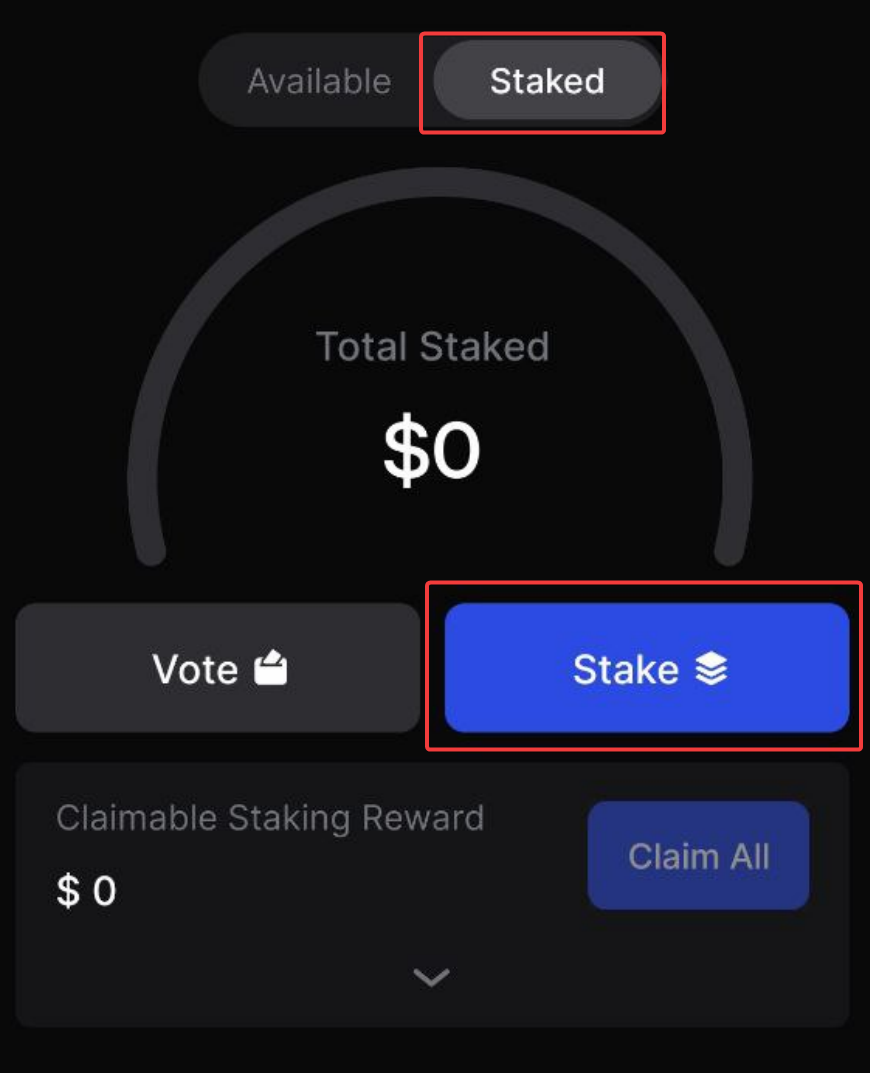
* Go to “Staked” section and click the “**Stake**” button.

<figure><img src="https://4024537277-files.gitbook.io/~/files/v0/b/gitbook-x-prod.appspot.com/o/spaces%2FSrOSFAwmziM0a8MDJcGD%2Fuploads%2FfLai8RpjAthMmDsXfaIr%2Fimage.png?alt=media&amp;token=f6e1979e-314b-4949-87a9-83a281973502" alt=""><figcaption></figcaption></figure>

* Click on “**Stake**” button.
* It will ask you to select the asset that you want to stake, search for '**dydx**' and select it.

<figure><img src="https://4024537277-files.gitbook.io/~/files/v0/b/gitbook-x-prod.appspot.com/o/spaces%2FSrOSFAwmziM0a8MDJcGD%2Fuploads%2Fp0Ai3Oq6Ezxrl0nt6iNL%2Fimage.png?alt=media&amp;token=00744ebd-1bb2-44df-8c84-0ee17125bd87" alt=""><figcaption></figcaption></figure>

* Now you need to select the validator where you want to delegate, search for '**spacestake**' and select it.

<figure><img src="https://4024537277-files.gitbook.io/~/files/v0/b/gitbook-x-prod.appspot.com/o/spaces%2FSrOSFAwmziM0a8MDJcGD%2Fuploads%2Fo6aeTrYAc4s4tRQpWoHd%2Fimage.png?alt=media&amp;token=6bc1e630-03e7-4dab-bc27-c5079dbf9b9b" alt=""><figcaption></figcaption></figure>

* Click the “**Stake**” button again.

<figure><img src="https://4024537277-files.gitbook.io/~/files/v0/b/gitbook-x-prod.appspot.com/o/spaces%2FSrOSFAwmziM0a8MDJcGD%2Fuploads%2FZiPVrzWhWEJO39yElXUE%2Fimage.png?alt=media&amp;token=a03b661c-d8b2-4ae9-bcc2-deca6f15b94d" alt=""><figcaption></figcaption></figure>

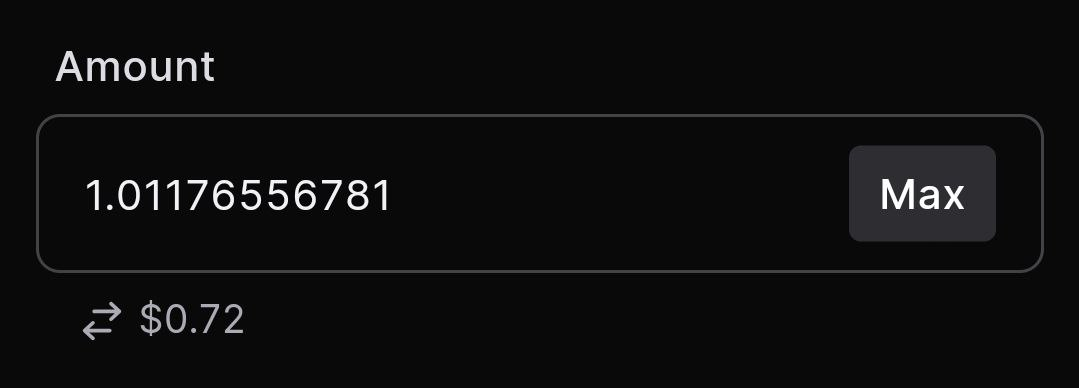
* Enter the amount of DYDX you wish to stake and click the “**Next**” button.

<figure><img src="https://4024537277-files.gitbook.io/~/files/v0/b/gitbook-x-prod.appspot.com/o/spaces%2FSrOSFAwmziM0a8MDJcGD%2Fuploads%2Fakjl7UdRyFjBe0o3Vw7c%2Fimage.png?alt=media&amp;token=a2a0e009-cce8-4aba-8230-129d67f88b0d" alt=""><figcaption></figcaption></figure>

* Confirm the transaction on Keplr by clicking on the “**Approve**” button.

<figure><img src="https://4024537277-files.gitbook.io/~/files/v0/b/gitbook-x-prod.appspot.com/o/spaces%2FSrOSFAwmziM0a8MDJcGD%2Fuploads%2FgrfKjBT1ZX1bKHyl1KRY%2Fimage.png?alt=media&amp;token=6dc301b9-e86d-4f33-831f-9cd741769f90" alt=""><figcaption></figcaption></figure>

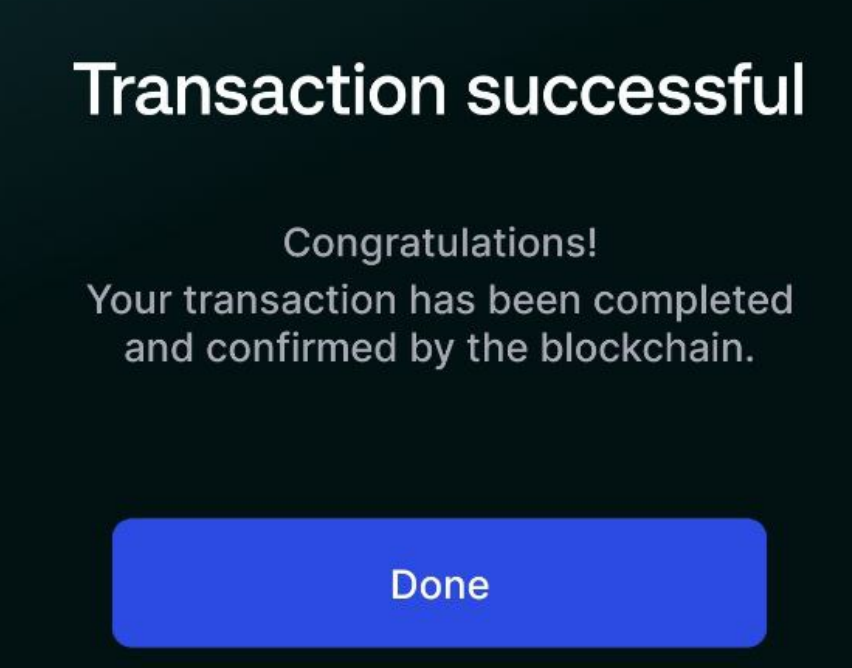
* You will get this message once the transaction is confirmed:

<figure><img src="https://4024537277-files.gitbook.io/~/files/v0/b/gitbook-x-prod.appspot.com/o/spaces%2FSrOSFAwmziM0a8MDJcGD%2Fuploads%2FdR0hniCUbeRgYZtCUXF1%2Fimage.png?alt=media&amp;token=fc39c106-228e-4489-8679-1ae5daba30ec" alt=""><figcaption></figcaption></figure>

* Now, Your staking status and rewards can now be monitored. You can see your staked balance and click on “**Claim All**” button to claim your staking rewards! Congrats!

<figure><img src="https://4024537277-files.gitbook.io/~/files/v0/b/gitbook-x-prod.appspot.com/o/spaces%2FSrOSFAwmziM0a8MDJcGD%2Fuploads%2FhpjD3Mv9oRZxo73RzgdZ%2Fimage.png?alt=media&amp;token=bda6e451-423f-4ba7-aa0c-f8b5461143a9" alt=""><figcaption></figcaption></figure>

### **Validator Information and Support**

* SpaceStake validator address: `dydxvaloper14exjnnkzqlex24vle33r0xj6kkhngr5y6kypz5`
* Monitor the validator status on the [**MintScan Explorer page**](https://docs.spacestake.tech/guides/www.mintscan.io/dydx/validators/dydxvaloper14exjnnkzqlex24vle33r0xj6kkhngr5y6kypz5).
* For questions or assistance, you can **contact us at <support@spacestake.tech>**